
TL;DR:
- An effective sales follow-up workflow combines multi-channel cadences, scenario-based messaging, and behavioral triggers to maximize conversions. It relies on well-maintained CRMs, lead segmentation, and timing strategies like 8-touch 14-day sequences, with appropriate channel mix. Regular measurement of response and engagement data helps identify breakdowns and optimize the process for higher pipeline closing rates.
A sales follow-up workflow is a structured, often automated sequence of outreach activities designed to move prospects through your pipeline with consistent timing, relevant messaging, and clear next steps. Most sales teams lose deals not because their product is wrong, but because their follow-up is inconsistent or stops too soon. Whether you use CRMs like Pipedrive or Close, or rely on manual cadences, the structure of your sales follow-up workflow determines how many conversations convert into closed revenue. The channels involved typically include email, phone, SMS, and LinkedIn, and the most effective approaches combine all four.
What makes a sales follow-up workflow effective?
The foundation of any effective follow-up system is a CRM that records every interaction and triggers the next action automatically. Tools like Pipedrive, Close, and Highspot each offer automation features, but they only work when your underlying data is clean and your team records notes consistently. Without accurate contact data and clear stage definitions, automation fires at the wrong time or sends irrelevant messages.
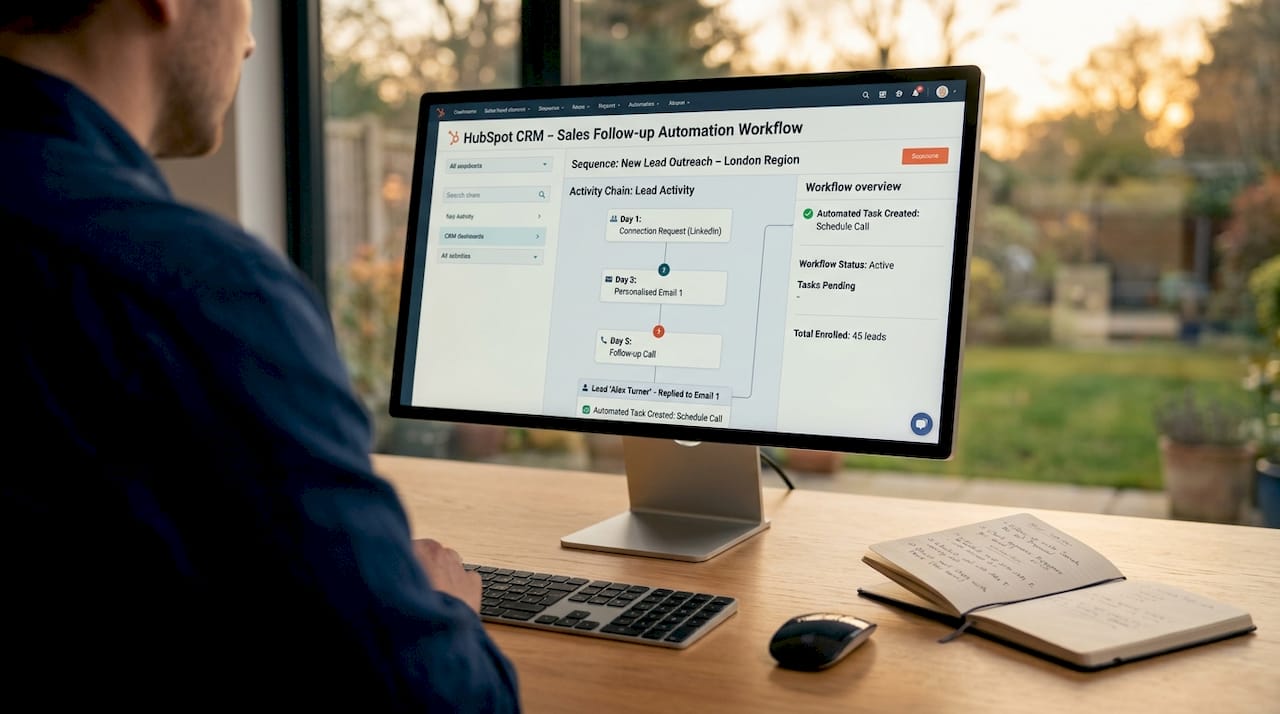
Lead segmentation is the second non-negotiable. Prospects who attended a demo need a different sequence than cold outreach contacts who have never heard of you. Branching your workflow by sales scenario ties each message and call-to-action precisely to the buyer’s current stage, which maximises the return on every follow-up you send.
Multi-channel orchestration sits at the core of modern sales engagement processes. Multi-channel follow-ups outperform single-channel approaches by around three times, with most replies occurring between touches four and eight. Email accounts for 50 to 60 per cent of the channel mix, LinkedIn for 20 to 30 per cent, and phone for 15 to 25 per cent. That data tells you that relying on email alone leaves the majority of your potential responses on the table.
Templates are the practical glue that holds a workflow together. Zendesk’s library of 18 follow-up email templates covers six distinct use cases, from post-demo to proposal sent, and each one maps to a specific decision node in a branching workflow. Using scenario-specific templates rather than generic messages keeps your outreach relevant without requiring your team to write from scratch every time.
Comparing common sales workflow tools
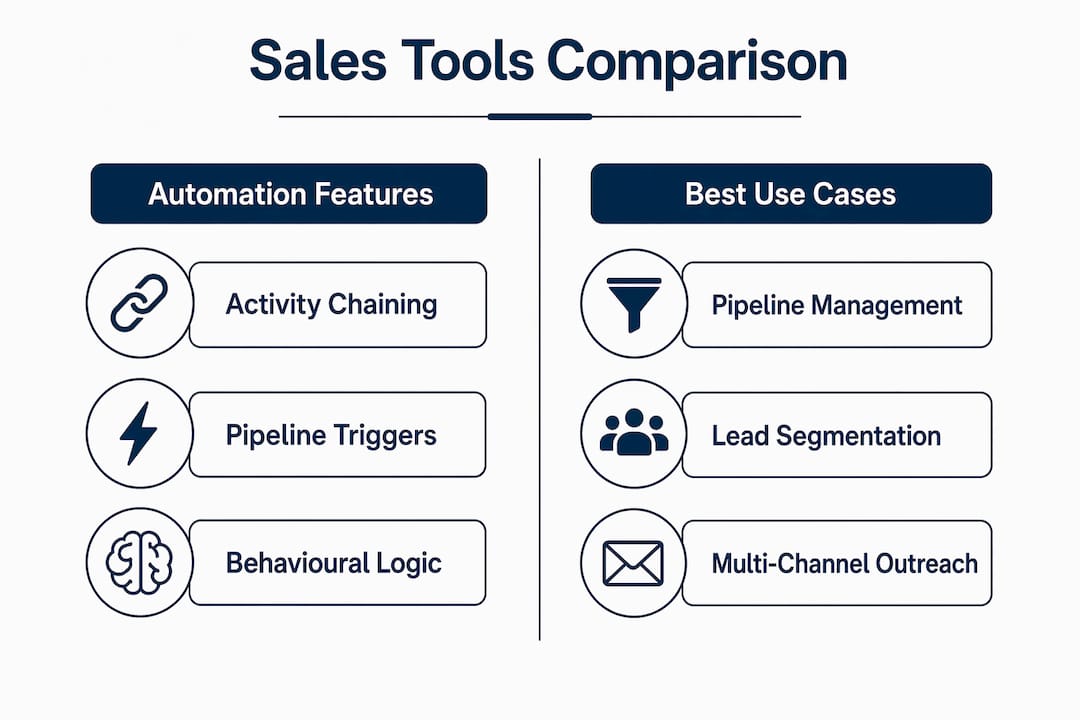
| Tool | Automation features | Best use case |
|---|---|---|
| Pipedrive | Activity chaining, pipeline triggers | SME teams managing structured pipelines |
| Close | Built-in sequences, SMS and call automation | High-volume outbound sales teams |
| Highspot | Asset-view triggers, CRM note sync | Teams using content-led follow-up strategies |
How should you structure your follow-up cadence and timing?
Cadence design is where most sales teams either win or lose their pipeline. Close recommends a 1-2-7 day cadence using email, SMS, and calls, capping cold outreach at six follow-ups before sending a breakup email. This structure gives prospects enough breathing room between touches while maintaining enough momentum to stay front of mind.
For qualified prospects, an eight-touch, 14-day sequence is the benchmark. Breakup emails in this model generate a 10 to 20 per cent response rate from prospects who had not replied to any previous touch. That is a significant recovery rate, and it means your breakup message is not a concession. It is a deliberate tactic built into the sequence from day one.
A practical 14-day sequence looks like this:
- Day 1: Personalised introduction email with a clear, single call-to-action
- Day 2: LinkedIn connection request or voice message
- Day 4: Follow-up email referencing a specific pain point or relevant insight
- Day 6: Phone call with a brief voicemail if no answer
- Day 8: Email with a relevant case study or social proof
- Day 10: LinkedIn message or SMS (where appropriate)
- Day 12: Final value-add email, no hard ask
- Day 14: Breakup email with a clear exit and a low-friction re-engagement option
Pivoting the sequence based on prospect behaviour is just as important as the schedule itself. Pausing or adjusting cadence when a prospect opens multiple emails or clicks a link prevents you from treating an engaged contact the same as a cold one. When intent signals appear, switch to a manual, personalised follow-up rather than continuing the automated sequence.
Pro Tip: Design your follow-up activities as a chain, where each task is only created once the previous one is marked complete. This prevents your calendar from filling up with stale tasks and stops reps from sending follow-ups before they have processed new information from the last interaction.
How do automation tools improve your follow-up process?
Automation does not replace good judgement. It enforces consistency so that good judgement is applied at the right moments rather than wasted on scheduling and data entry. Pipedrive’s activity chaining creates the next follow-up task automatically when the previous one is marked done, which removes the single biggest cause of missed follow-ups: a rep forgetting to schedule the next step.
Behavioural triggers take automation a level further. Highspot, for example, auto-sends follow-ups when a prospect views a shared asset and syncs those engagement signals back to the CRM record. This means your team knows exactly when a prospect reviewed your proposal and can follow up within hours rather than days. Timing a call to land shortly after a prospect has just read your pricing page is a fundamentally different conversation than a cold check-in.
Setting up an effective automatic follow-up system requires mapping every scenario in your pipeline to a dedicated template and a specific call-to-action. The scenarios to cover include:
- Demo completed, no reply: Send a summary email with a clear next step within 24 hours, then chain a call task for day three
- Proposal sent, no reply: Trigger a value-reinforcement email on day two, followed by a phone touch on day five
- Asset viewed: Send a context-aware follow-up within two hours referencing the specific content they viewed
- Meeting link clicked but not booked: Trigger an SMS or LinkedIn message within the same day
Avoiding over-touching is the most common automation failure. When sequences run without behavioural logic, prospects receive messages that ignore what they have already done. Tracking structured stages and triggers in your CRM creates a reliable source of truth and prevents the kind of dispersed, informal scheduling that causes process breakdowns.
Pro Tip: Map each workflow branch to a dedicated template and a single, specific call-to-action. When your automation fires a follow-up after a demo, the message should reference the demo. When it fires after a pricing page view, the message should address value and ROI. Generic templates sent via automation are worse than no automation at all.
What mistakes are killing your sales follow-up results?
The most damaging mistake is stopping the sequence too early. Research consistently shows that most replies arrive between touches four and eight, yet the majority of sales reps stop after two attempts. Stopping at touch two means you are abandoning prospects who were close to responding.
Single-channel outreach is the second major failure point. A sales outreach strategy built entirely on email misses the 40 to 50 per cent of prospects who are more responsive on LinkedIn or by phone. Rotating channels across a sequence is not about volume. It is about meeting prospects where they actually pay attention.
Incorrect spacing destroys momentum. Sending three emails in 48 hours signals desperation and triggers spam filters. Waiting three weeks between touches allows the prospect to forget the context entirely. Both extremes reduce reply rates and damage your sender reputation over time.
Skipping breakup messages and exit states is a deliverability risk that most teams underestimate. When sequences end without a clear exit, contacts remain in active lists and continue receiving messages they never opted out of. Designing breakup and no-reply exit points as explicit workflow states, not afterthoughts, protects your domain reputation and keeps your long-term nurture lists clean.
Measure your workflow health using open rates, reply rates, and conversion rates at each stage. If your open rate drops after touch three, your subject lines need work. If replies cluster at touch six, your earlier messages may be too generic. The data tells you exactly where the sequence is breaking down.
Key takeaways
A well-structured sales follow-up workflow, combining multi-channel cadences, activity chaining, and behavioural triggers, is the single most reliable way to convert more pipeline into closed revenue.
| Point | Details |
|---|---|
| Multi-channel outperforms single-channel | Rotating email, phone, LinkedIn, and SMS raises response rates by around three times versus email alone. |
| Cadence timing matters | A 1-2-7 day or 8-touch 14-day structure balances persistence with spacing to maintain prospect engagement. |
| Activity chaining prevents missed follow-ups | Triggering the next task only when the previous one is complete removes the most common cause of dropped sequences. |
| Breakup emails are a tactic, not a concession | A well-crafted exit message recovers 10 to 20 per cent of non-responsive prospects and protects deliverability. |
| Automation needs scenario mapping | Generic automated messages underperform. Map each trigger to a dedicated template and a specific call-to-action. |
Why most follow-up workflows fail before they even start
I have worked with sales teams across a wide range of industries, and the pattern I see most often is this: the workflow exists on paper, but it collapses in practice because no one has mapped what happens after each outcome. The sequence was designed for the ideal path, where the prospect opens every email and books a call on touch three. Nobody planned for the prospect who views the proposal twice but never replies.
The teams that consistently hit their numbers treat every outcome as a branch, not a dead end. They have a sequence for the engaged-but-silent prospect, a different one for the prospect who clicked the meeting link but did not book, and a clear exit path for the contact who has gone completely dark. That level of scenario thinking is what separates a well-managed sales workflow from a list of tasks in a CRM.
I also want to push back on the idea that more automation equals better results. The best follow-up sequences I have seen combine automated scheduling with manual, personalised touches at the moments that matter most. Automation handles the cadence. Your reps handle the conversation. When those two things are clearly separated, the whole process becomes far easier to manage and far more effective to measure.
If you are not yet tracking reply rates and conversion rates at each stage of your sequence, start there. You cannot improve what you are not measuring, and the data will tell you more about where your workflow is breaking down than any template or tool ever will.
— Jerry
Take your follow-up workflow further with Aheadofsales
If you recognise any of the gaps described in this article, whether that is inconsistent cadences, poor automation logic, or sequences that stop too early, Aheadofsales works directly with sales teams to fix them. Our sales training services combine bespoke 1:1 coaching with practical consultancy to help your team build follow-up workflows that actually run in the real world, not just in theory. We cover CRM automation, multi-channel cadence design, and scenario-based template mapping as part of our programmes for businesses with 50 to 1,000 staff. If you want your team hitting target every quarter, this is where to start.
FAQ
What is a sales follow-up workflow?
A sales follow-up workflow is a structured sequence of outreach activities, typically automated through a CRM, that guides prospects through the pipeline with consistent timing and relevant messaging across multiple channels.
How many follow-up touches should a sequence include?
Research supports an eight-touch, 14-day sequence for qualified prospects, with most replies arriving between touches four and eight. Cold outreach sequences should cap at six touches before sending a breakup email.
Which channels should I include in my follow-up sequence?
Email, phone, LinkedIn, and SMS are the four core channels. Email accounts for 50 to 60 per cent of the mix, LinkedIn for 20 to 30 per cent, and phone for 15 to 25 per cent, based on current channel mix data.
What is a breakup email and why does it matter?
A breakup email is the final message in a sequence, sent to prospects who have not replied to any previous touch. It signals the end of outreach while leaving the door open, and it recovers 10 to 20 per cent of previously non-responsive prospects.
How do I know if my follow-up workflow is working?
Track open rates, reply rates, and conversion rates at each stage of the sequence. If replies cluster at a specific touch, the earlier messages may lack relevance. If open rates drop mid-sequence, subject line variation is needed.